Pot
The pot is a block that allows you to cook various recipes using either water or the steam resulting from said fluid.
Crafting
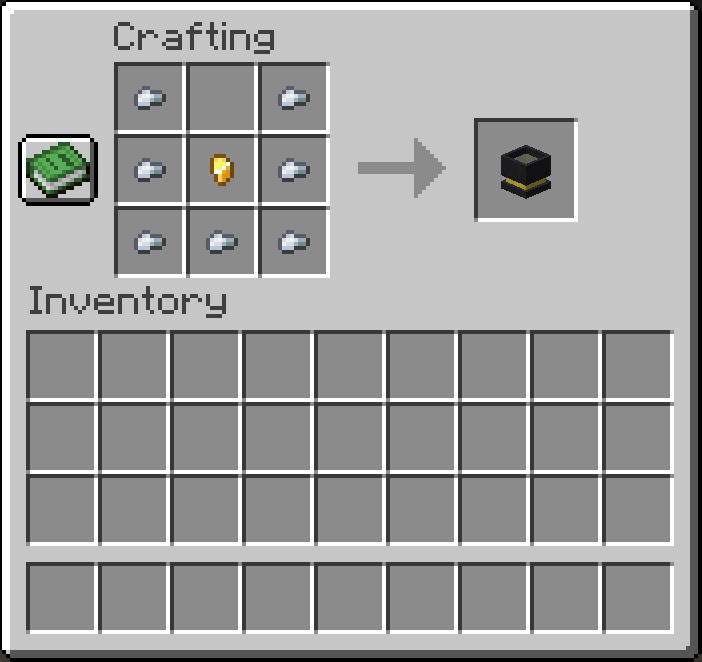
To craft a Pot, you need seven iron ingots and a gold nugget. Place them in a crafting table like so:
Usage
Right-clicking with the Pot in hand will place it in the world.
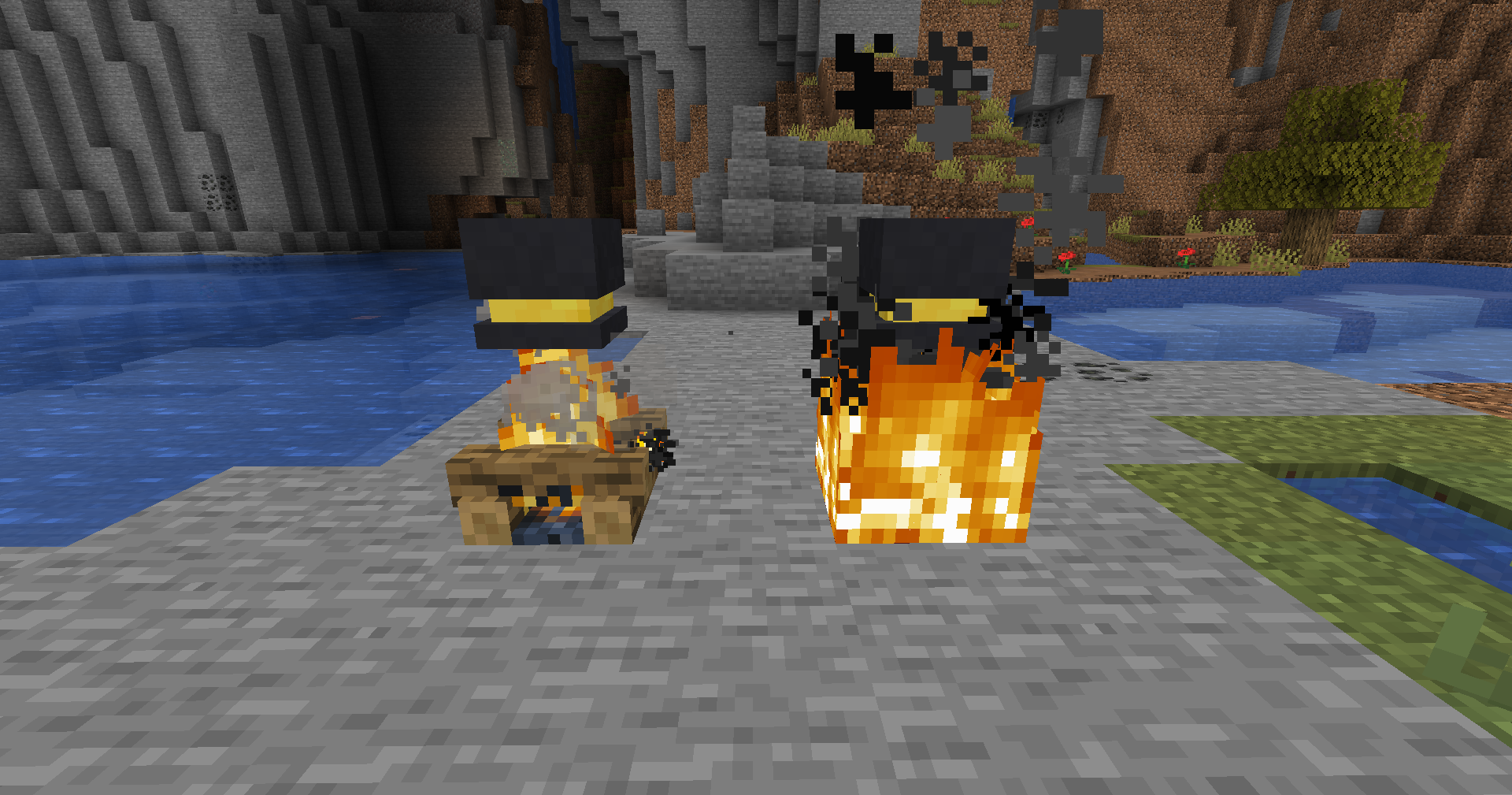
You should place it above one of the following blocks if you want to use it:
- Fire
- Soul Fire
- Campfire
- Soul Campfire
The resulting construction can look something like this:
You can right-click the Pot to open its GUI, which looks like this:
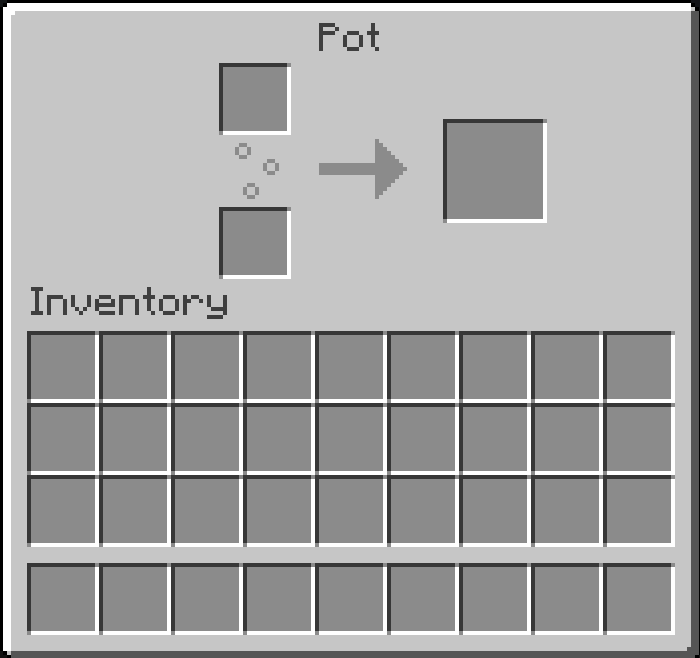
If you ever used a furnace before, you will see that this totally rips off the furnace GUI. However, you do not need fuel, as the Pot uses water or steam instead. What you do therefore need, is a bucket of water in the bottom slot, where the fuel would go in a furnace.
You can place the recipe you want to cook in the top slot. The Pot will then cook the recipe using the water in the bottom slot.
For a list of pot recipes, see Pot Recipes.
Automation
The Pot can be automated similar to a furnace.
- You can place a hopper above the Pot to insert items into the top slot.
- You can place a hopper at any side of the Pot to insert items into the bottom slot.
What you cannot do is extract output items from the Pot using a hopper. You will have to do that manually, since the bottom side of the block has to be the fuel (fire, soul fire, campfire, or soul campfire).
There will be a solution added in the near future to extract items from the Pot automatically.